
TurboScribe has become one of the more visible names in AI transcription, mostly because of one simple promise: fast Audio to Text conversion with a generous free plan and an unlimited paid plan. For people who regularly transcribe interviews, lectures, podcasts, webinars, or meeting recordings, that sounds useful right away.
But an Audio to Text tool is not only about getting words onto a page. The real test is more practical. How well does it handle noisy audio? Can it separate speakers clearly? Are the export formats useful? Does the pricing still make sense if you only transcribe a few files each month? And how does it compare with broader workflow tools like Audio to Text, which combine transcription with editing, summaries, multi-format support, and structured output?
This TurboScribe review looks at the product from a real workflow perspective, not just from the feature list.
TurboScribe is worth reviewing because it sits in a specific corner of the Audio to Text market. It is not trying to be a general note-taking app, a meeting assistant, or a full video editor. It is mainly built for transcription at scale.
That focus makes it appealing. Many transcription tools charge by the minute, which can become expensive if you handle long recordings. TurboScribe's unlimited plan changes the calculation for people who transcribe often. A researcher with weekly interviews, a podcaster with long episodes, or a content team processing webinars may find predictable pricing more attractive than per-minute billing.
Still, unlimited access does not automatically make a tool the best choice for everyone. Some users care more about summary quality, editing flow, academic use cases, subtitle export, or how easily the transcript can be reused after conversion. That is where the comparison becomes more interesting.
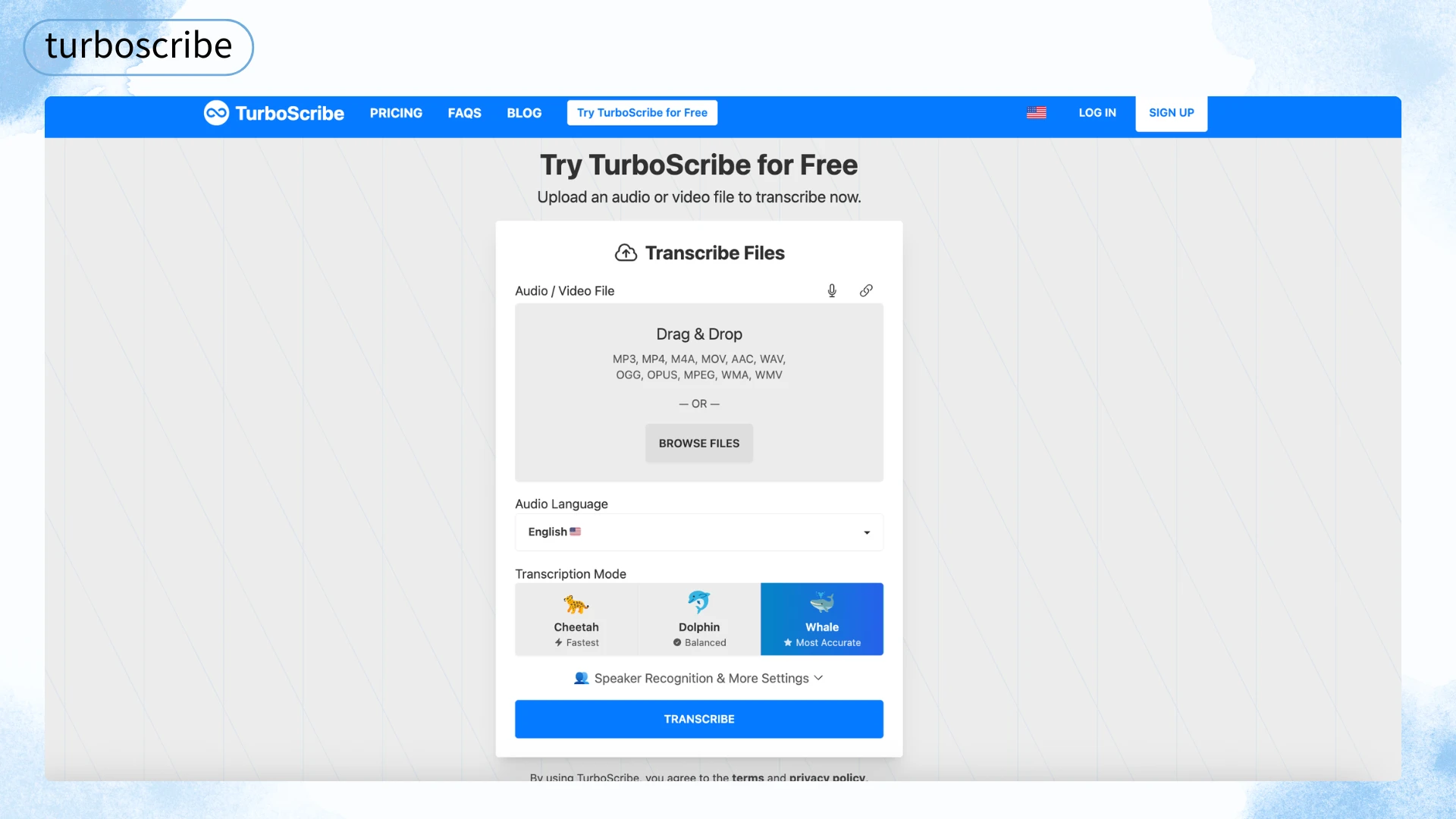
When users search for an Audio to Text tool, they usually need more than a raw transcript. Most workflows involve several steps after conversion.
A good Audio to Text tool should help with:
TurboScribe performs well in several of these areas, especially volume, language support, and export flexibility. Its weaker points depend more on the type of user than on the tool itself.
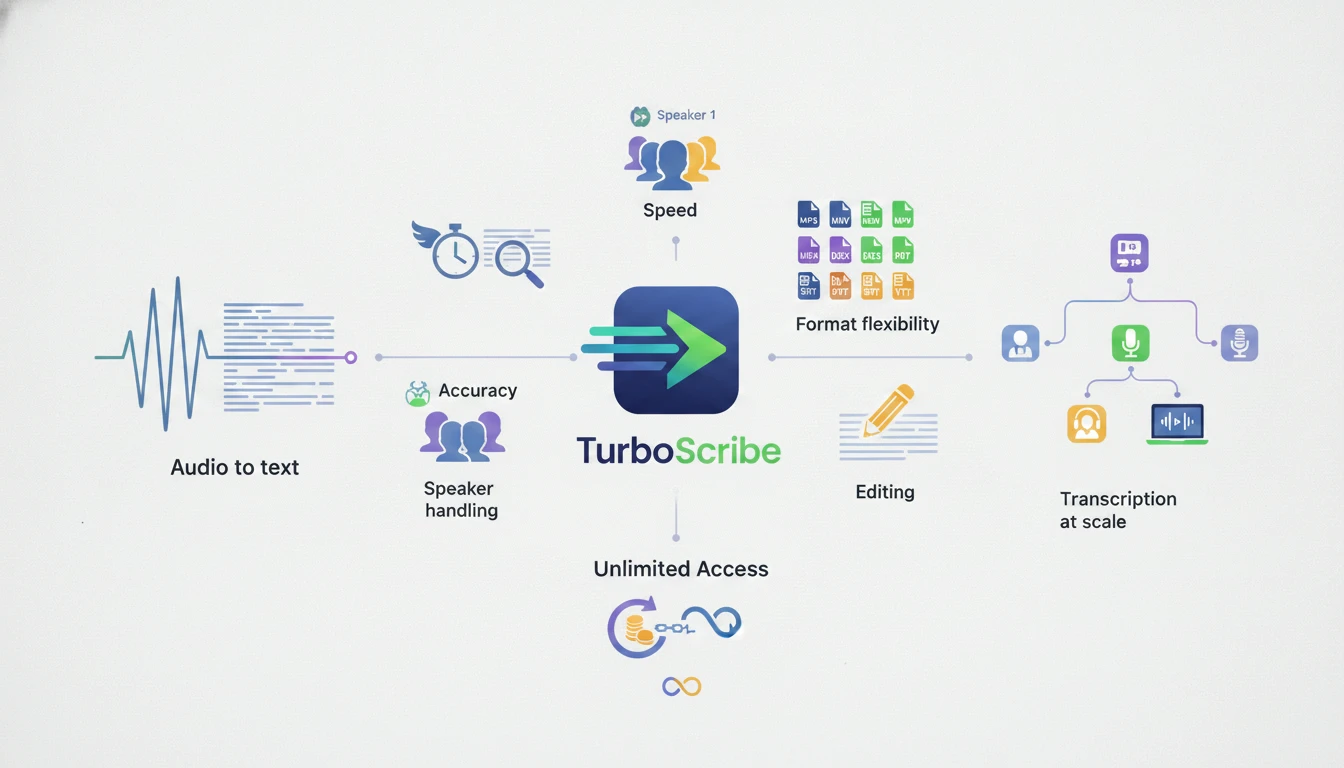
TurboScribe is stronger than many basic Audio to Text converters because it is clearly designed for repeat use. The upload flow includes language selection, transcription mode selection, speaker recognition, and optional audio restoration. That gives users more control than a very simple upload-and-download converter.
It also supports a wide range of common audio and video formats. For people working with MP3, WAV, M4A, MP4, MOV, AAC, OGG, OPUS, WMA, WMV, AVI, FLAC, and similar files, this reduces the need to convert files before uploading.
Another key feature is speaker recognition. For interviews, panels, and meeting recordings, this matters a lot. A transcript without speaker labels may still be technically accurate, but it becomes harder to read and reuse.
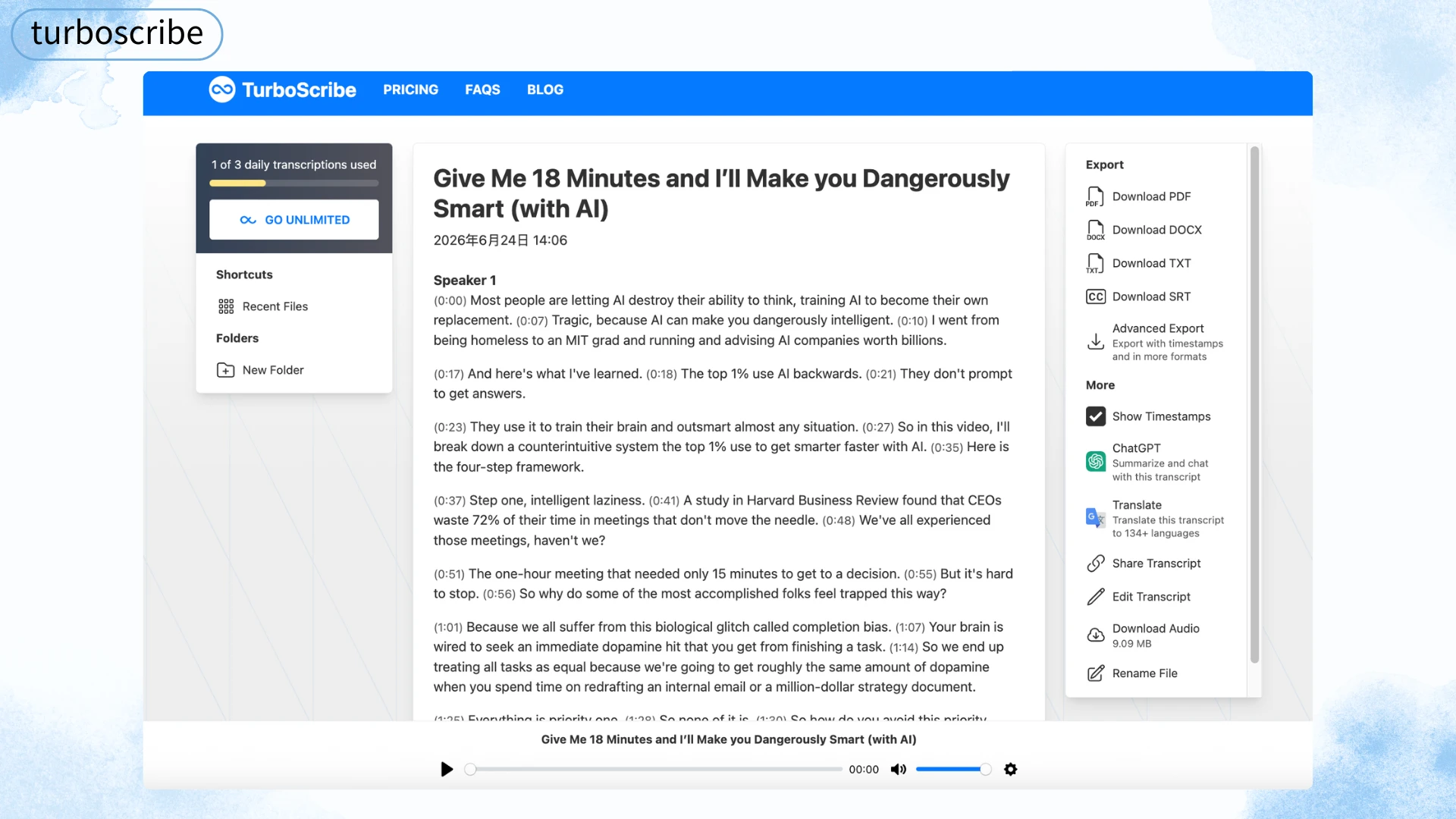
TurboScribe also offers export formats that fit real use cases: DOCX and PDF for documents, TXT for plain text, and SRT/VTT for captions and subtitles. That makes it more flexible than basic voice-to-text tools built into phones or operating systems.
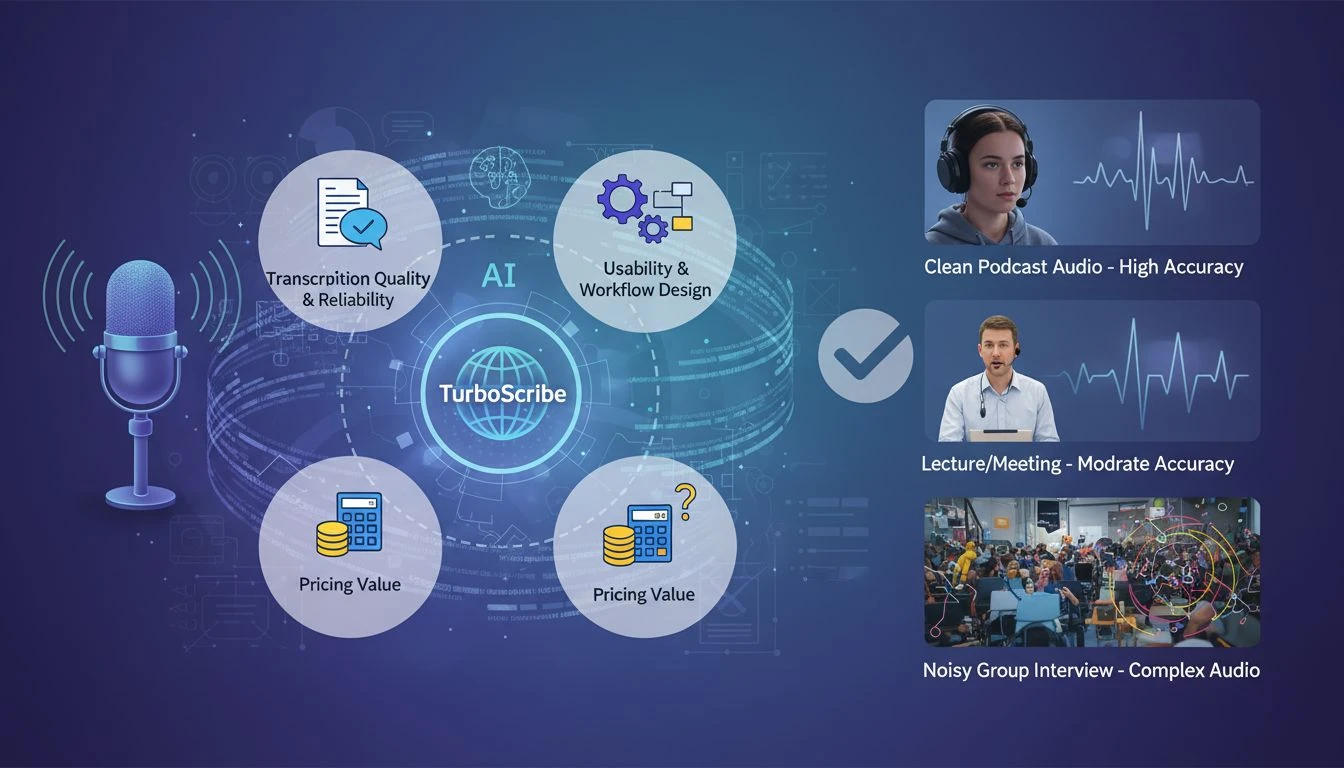
This review focuses on practical evaluation rather than lab-style benchmarking. The goal is not to prove whether TurboScribe reaches a specific accuracy percentage in ideal conditions. Instead, the goal is to understand how well it fits common Audio to Text workflows.
We looked at three main areas:
This matters because transcription tools are often marketed with high accuracy claims, but the real experience depends heavily on the recording. A clear podcast recorded with a good microphone is very different from a lecture captured from the back of a room or a group interview with people talking over each other.
TurboScribe promotes high accuracy and uses Whisper-based transcription models. It also provides different transcription modes, including faster and more accurate options. This is useful because not every file needs the same level of processing.
For clean single-speaker audio, TurboScribe is likely to perform well. This includes podcast narration, prepared lectures, voice memos, and recorded presentations with limited background noise.
Where accuracy becomes more complicated is in real-world audio. Background noise, echo, heavy accents, technical vocabulary, fast speech, and overlapping speakers can all reduce accuracy. This is not unique to TurboScribe. It is a limitation across the Audio to Text category.
The practical question is not whether a tool can reach near-perfect accuracy in ideal conditions. The better question is: how much editing does the transcript need before it becomes useful?
For many clear recordings, TurboScribe should require only light cleanup. For noisy meetings, field interviews, classroom recordings, or panel discussions, users should expect more correction. The optional audio restoration feature may help with poor audio, but it should not be treated as a magic fix for every low-quality file.
TurboScribe uses a straightforward workflow. Users upload an audio or video file, choose the audio language, select a transcription mode, enable speaker recognition if needed, and start transcription.
This is a good setup for users who already know what they want. It gives enough control without making the process feel overly technical.
The interface is especially useful for people who handle longer files. Speaker recognition, timestamps, and export options make it more than just a raw speech-to-text box. Once the transcript is generated, users can download it in several formats depending on the next step.
The workflow is less ideal for users who want a broader content processing environment. For example, someone who wants to transcribe a lecture, generate a summary, edit the transcript, extract key points, and turn the result into study material may prefer a more integrated Audio to Text workflow. In that case, a tool like Audio to Text can be a better fit because it is built around transcription plus AI summaries, editing, speaker detection, multi-format input, and export options in one place.
TurboScribe's pricing structure is one of its biggest selling points. The free plan gives users a limited number of daily transcripts, while the paid plan focuses on unlimited transcription for individual users.
The free tier is useful for testing the tool and handling occasional files. However, the daily and per-file limits mean it is not really designed for heavy ongoing transcription.
The unlimited plan is where TurboScribe makes the most sense. If you transcribe long recordings every week, a flat monthly price can be easier to justify than paying by the minute. It also changes user behavior. When users are not watching a per-minute meter, they are more likely to transcribe extra recordings that might otherwise be skipped.
But that same pricing model may not be ideal for low-volume users. If you only transcribe one or two short files per month, an unlimited plan may be more than you need. In those cases, a more flexible Audio to Text tool with free access, editing, summary support, and export options may be enough.
TurboScribe has clear strengths. It is not trying to do everything, and that focus helps it perform well for certain users.
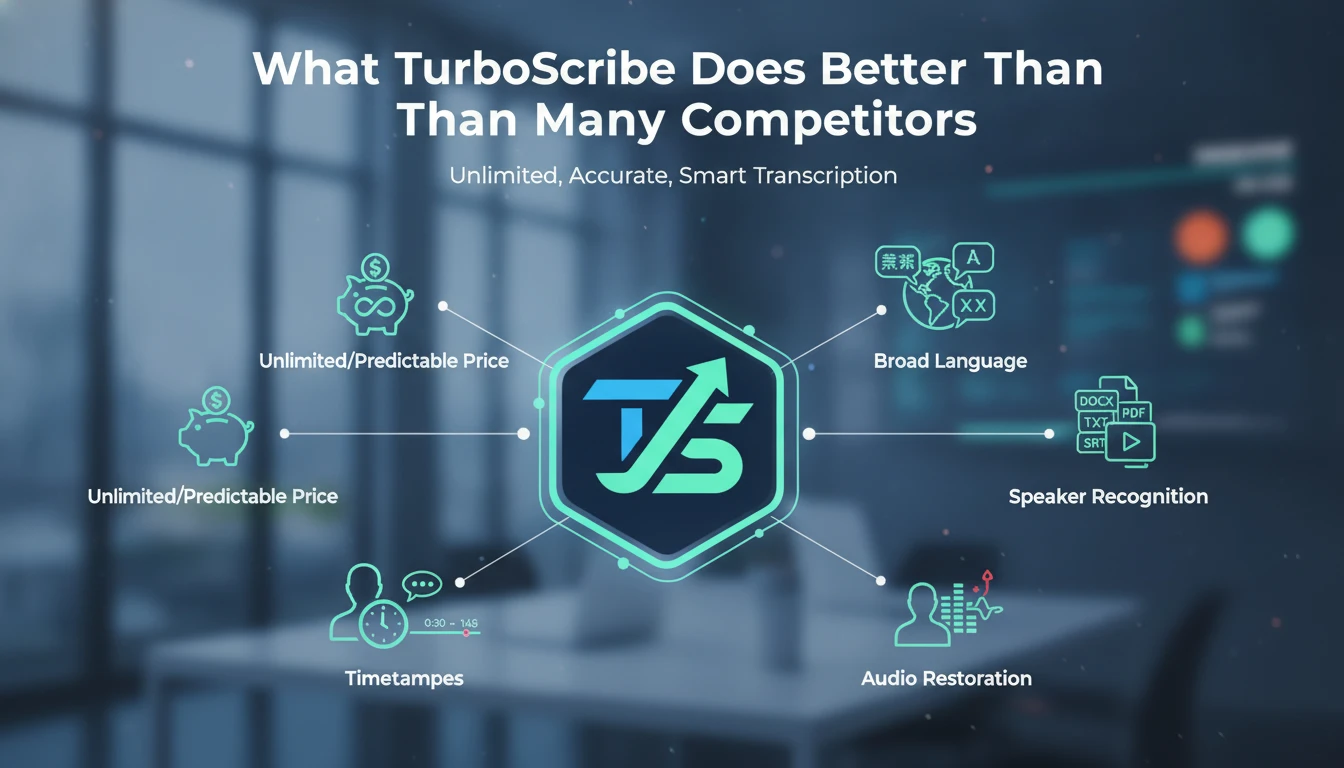
TurboScribe's flat-rate model is its main advantage. Users who transcribe frequently can avoid per-minute cost anxiety.
This is especially useful for:
The value increases as volume increases. If someone transcribes several hours per month, the flat-rate plan becomes easier to justify. If someone transcribes hundreds of minutes monthly, TurboScribe can be more economical than many pay-per-minute services.
TurboScribe supports a wide range of languages, which makes it more useful for global teams, multilingual researchers, and international content creators.
Its format support is also practical. Users can upload many common audio and video formats without needing to pre-convert files. This matters more than it sounds. File conversion is a small step, but it creates friction, especially for users processing many recordings.
Export options are another strong point. DOCX and PDF work well for formal documents. TXT is useful for plain text workflows. SRT and VTT are important for subtitles and captions.
Speaker recognition makes TurboScribe more useful for multi-speaker recordings. It helps users follow who said what in meetings, interviews, podcasts, and group discussions.
Timestamps also improve navigation. Instead of reading through a long transcript and guessing where a quote appears in the original file, users can jump back to the relevant audio section.
For journalists, researchers, editors, and podcast teams, this can save real time.
TurboScribe includes an audio restoration option designed to reduce background noise and improve speech clarity. This is useful for recordings made in less-than-ideal environments.
However, this feature should be used with realistic expectations. It may improve some files, but it cannot fully recover unclear speech, extreme overlap, or heavily distorted audio. Still, having the option available inside the upload flow is a practical advantage.
TurboScribe is strong for high-volume transcription, but it is not perfect for every Audio to Text workflow.
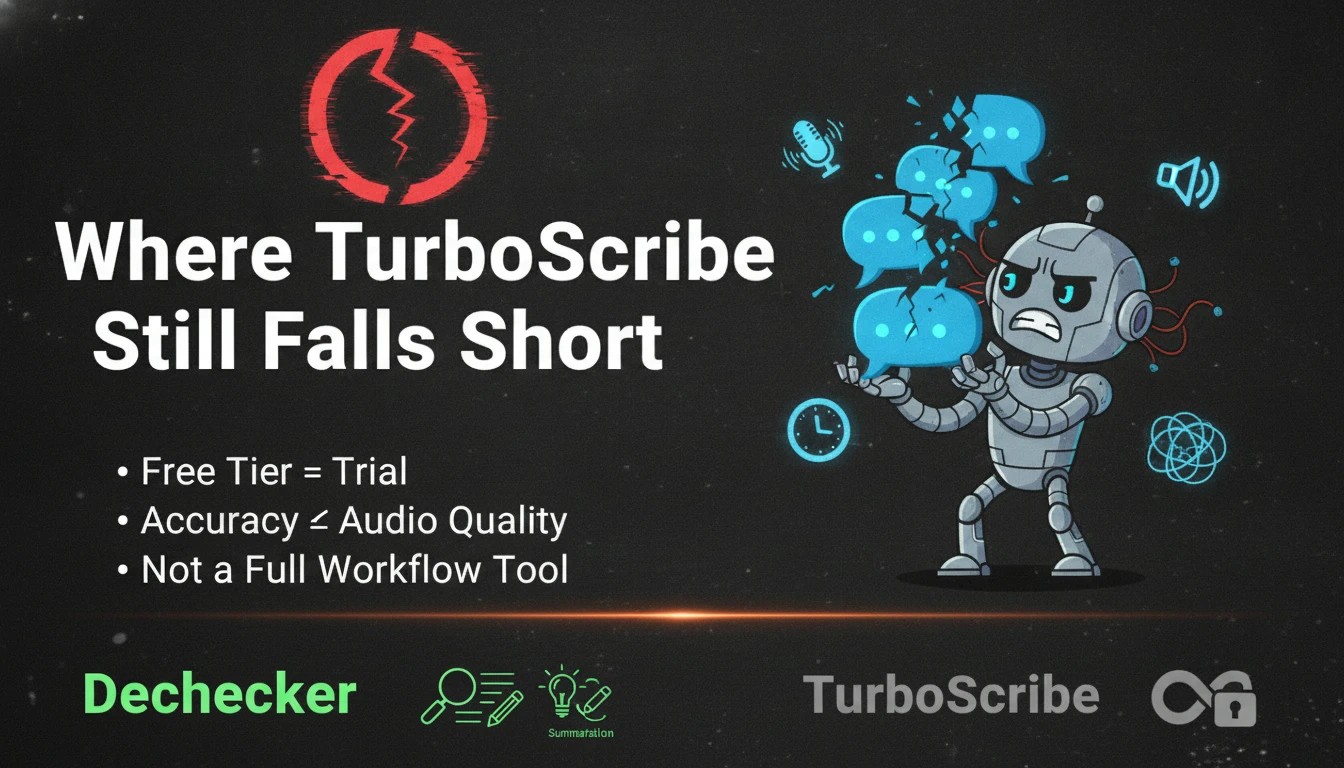
TurboScribe's free plan is useful, but regular users will hit its limits quickly. If you are only testing the tool or transcribing short files occasionally, the free tier may be enough. If you work with longer recordings every week, the paid plan becomes the real product.
That is not necessarily a problem. Many tools use free tiers this way. But users should understand the difference between "free to try" and "free enough for ongoing use."
TurboScribe can perform well on clean recordings, but poor audio still creates problems.
Common accuracy challenges include:
This is important because many people use Audio to Text tools for exactly these messy real-world recordings. A lecture hall, a group call, or an outdoor interview is rarely as clean as a studio podcast.
TurboScribe gives users tools to manage this, but the final transcript may still need manual review.
TurboScribe is mainly a transcription service. That is its strength, but also its limitation.
If your workflow ends at the transcript, TurboScribe works well. If your workflow continues into summarizing, editing, restructuring, studying, publishing, or reviewing key points, you may need additional tools.
This is where Dechecker takes a different approach. Its Audio to Text workflow is designed not only to convert speech into text, but also to help users review the result, edit it, generate summaries, identify speakers, and export the content for different use cases. For students, educators, researchers, and content teams, that broader workflow can be more useful than raw transcription volume alone.
TurboScribe's unlimited plan becomes more valuable as usage increases. That is good for high-volume users, but less compelling for people with occasional needs.
If you transcribe daily or weekly, TurboScribe can be a smart choice. If you only transcribe occasionally, the value is less obvious.
No Audio to Text tool is best for everyone. The right choice depends on what kind of recordings you handle, how often you transcribe, and what you need after the transcript is generated.
| Tool | Best For | Main Strength | Main Limitation | Pricing Style |
|---|---|---|---|---|
| TurboScribe | High-volume transcription | Unlimited transcription, broad format support, speaker recognition | Free tier is limited for regular use; summary workflow is not the main focus | Free limited plan + paid unlimited plan |
| Otter.ai | Live meetings and collaboration | Real-time meeting transcription and action items | More meeting-focused than general Audio to Text | Free limited plan + paid plans |
| Rev | High-accuracy professional transcripts | Human transcription and AI options | Per-minute pricing can become expensive | Pay per minute |
| Descript | Audio/video creators | Transcription inside a media editing suite | Too complex if you only need transcription | Free limited plan + paid plans |
| Dechecker | Structured Audio to Text workflows | 90+ languages, 30+ formats, speaker detection, AI summaries, editing, SRT/VTT exports | Not positioned as a high-volume unlimited transcription service | Free access available |
| Built-in voice typing | Very short casual dictation | Already available on phones and operating systems | Weak for file uploads, exports, speaker labels, and long recordings | Free |
TurboScribe is strongest when transcription volume is the main problem.
If you have dozens of recordings, long interviews, lecture archives, podcast backlogs, or repeated subtitle needs, TurboScribe's unlimited model can be efficient. Its speaker recognition, timestamps, and export options also make it more capable than many basic tools.
It is especially strong for users who already have a clear post-transcription workflow. For example, a podcast editor who only needs SRT files and raw transcripts may not need summary features. A researcher who already organizes notes in a separate system may simply want fast transcripts at predictable cost.
Dechecker is better suited when Audio to Text is only the first step of the workflow.
A student may not just need a transcript. They may need lecture notes, a summary, and a cleaner structure for review. A researcher may need speaker-labeled interview text plus a quick overview of key points. A content creator may need a transcript, subtitles, and reusable written material from the same recording.
That is the gap Dechecker is designed to fill. Its Audio to Text workflow supports audio and video inputs, 90+ languages, 30+ formats, speaker detection, built-in editing, AI summaries, and export options including subtitle formats. Instead of treating transcription as the final output, it treats the transcript as usable content that can be reviewed, structured, and reused.
This does not make TurboScribe weaker. It simply means the tools are optimized for different jobs.
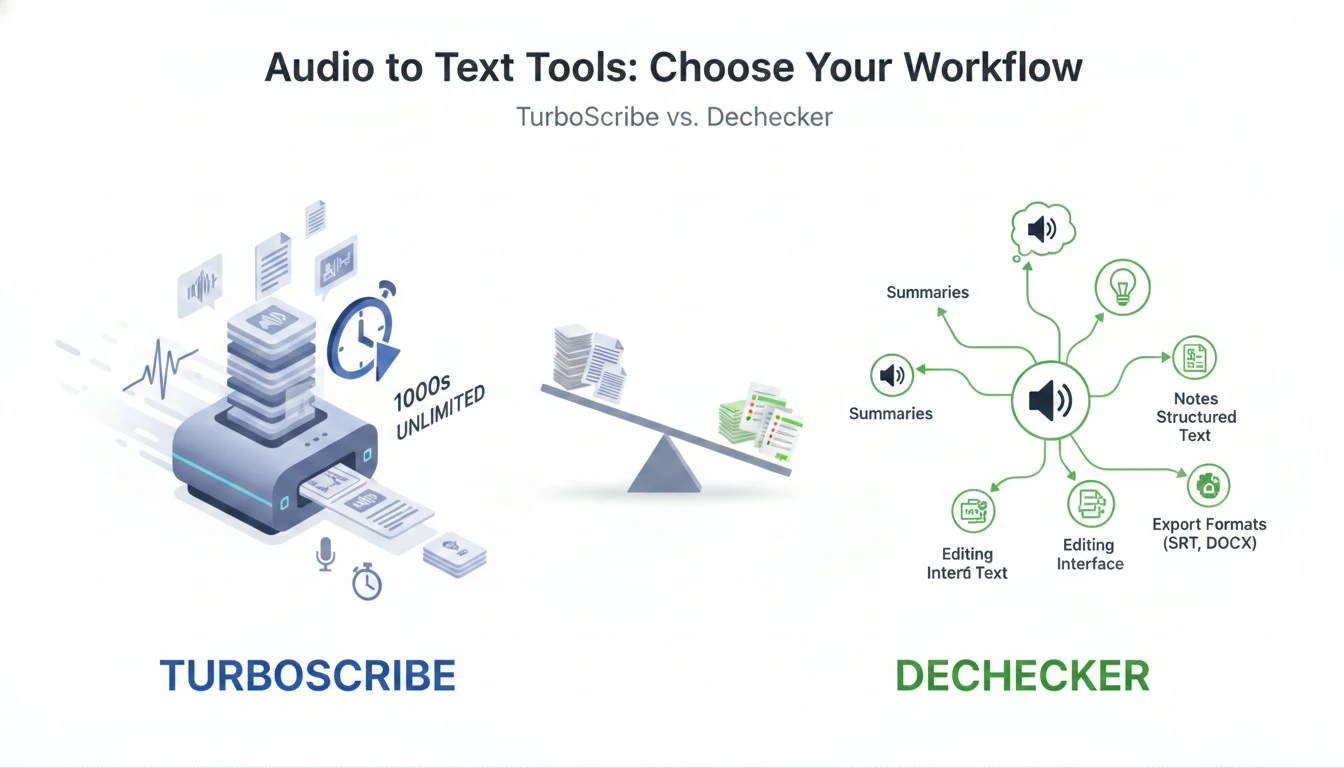
TurboScribe is more focused on volume transcription. Dechecker is more focused on turning audio content into structured, editable, reusable text.
Dechecker is not just a lighter version of TurboScribe. It takes a different approach to Audio to Text.
TurboScribe focuses on repeat transcription and high-volume usage. Dechecker focuses on the broader content workflow around the transcript. This distinction matters because users often do not stop once the transcript is generated.
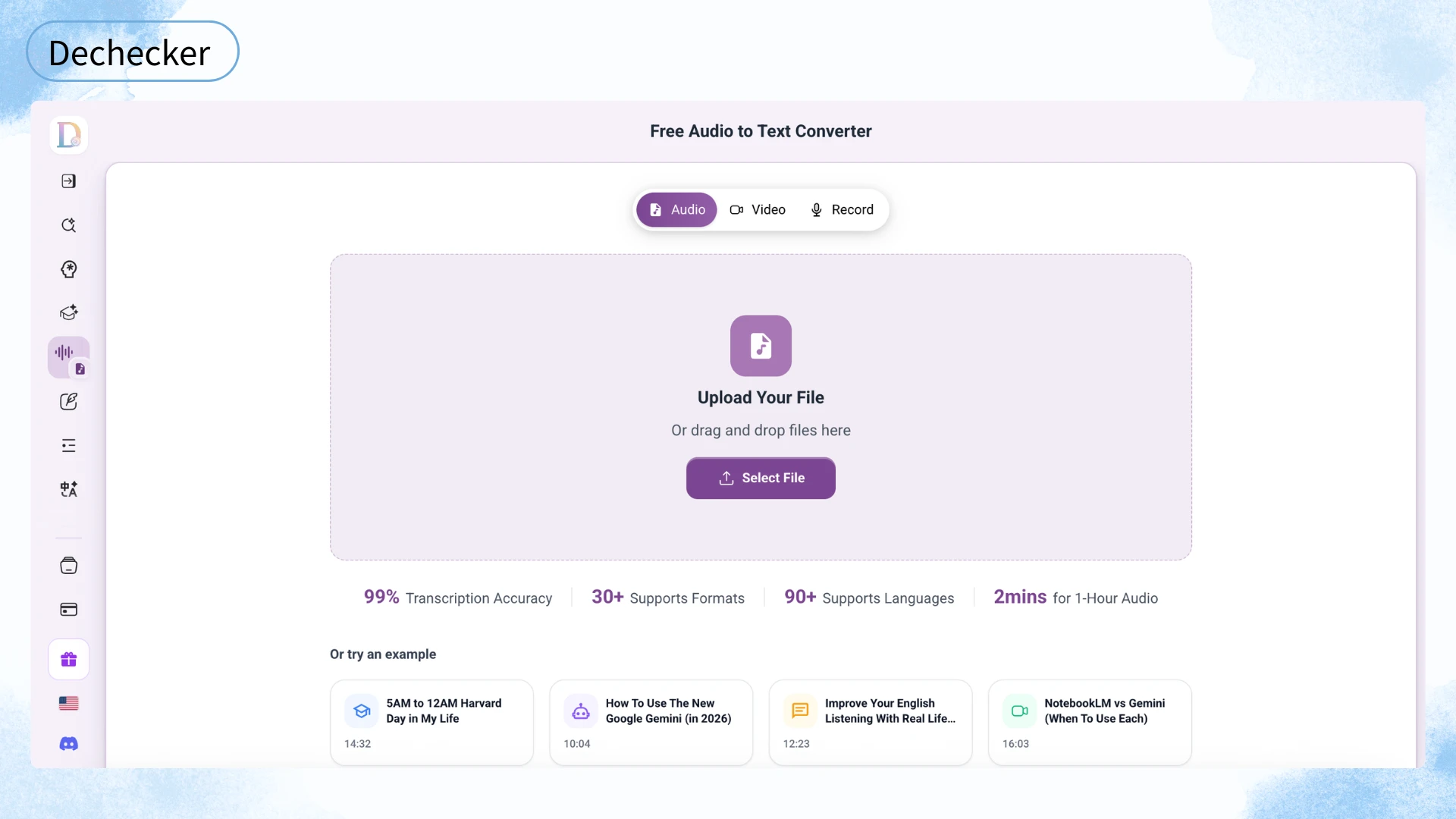
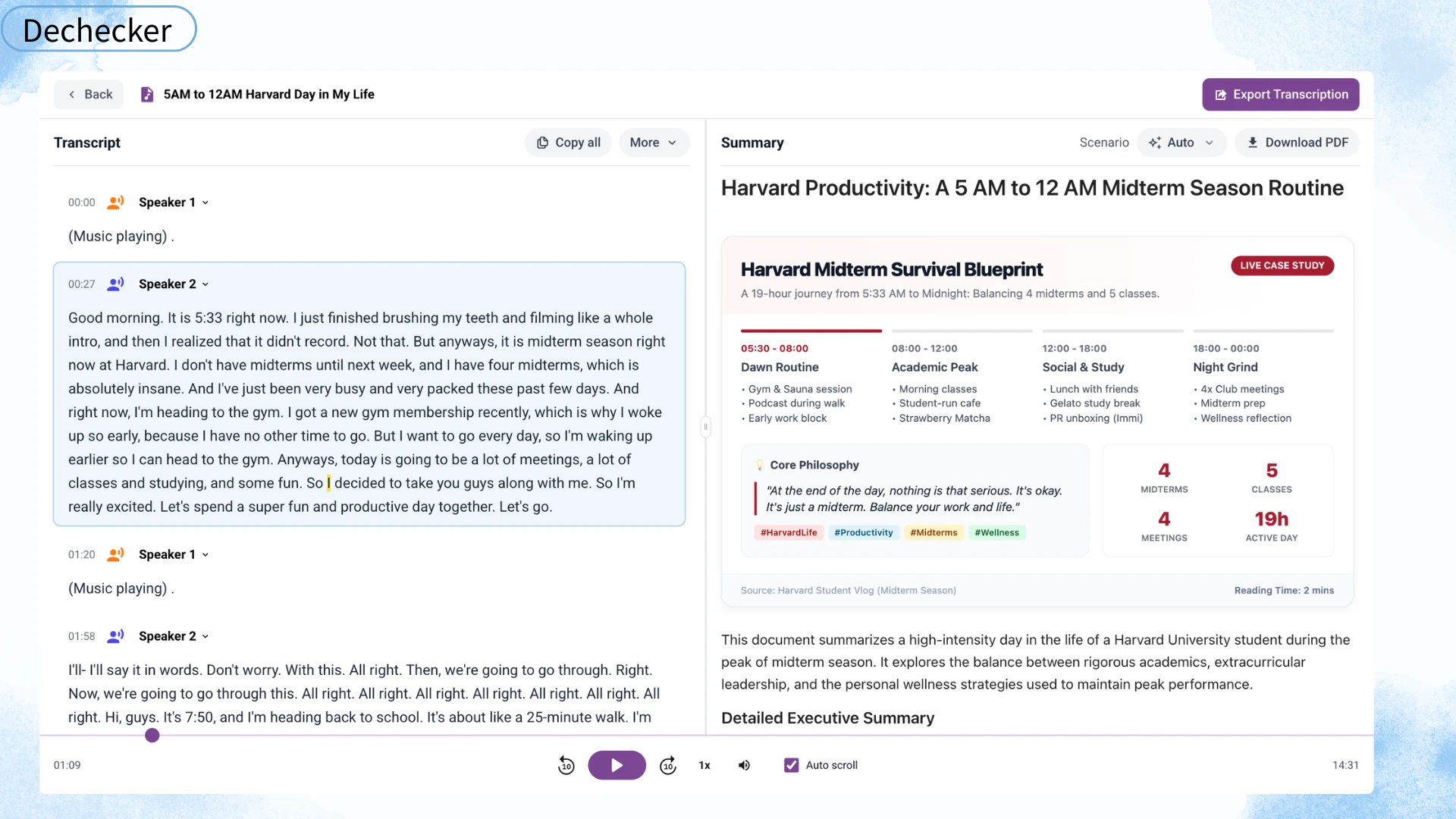
With Dechecker, users can upload an audio or video file, convert speech into text, identify speakers, edit the transcript, generate AI summaries, and export the result for different use cases.
This works well for users who need both detail and overview. The full transcript preserves the original conversation, while the summary helps users understand the main points faster.
That combination is useful in several scenarios:
A transcript is useful, but it can also be long. A one-hour lecture or interview may produce thousands of words. Reading the entire transcript can take almost as much time as replaying the recording.
AI summaries help reduce that review burden. They give users a first layer of understanding before they decide which parts of the transcript need closer attention.
This is where Dechecker has a practical advantage for academic and review-heavy workflows. The summary is not just an extra feature. It changes how users consume the transcript.
Audio to Text output is rarely perfect. Even strong transcription tools make mistakes, especially with names, technical terms, overlapping speech, and unclear recordings.
Built-in editing helps users correct the transcript before they export it. This is important if the transcript will be used for study notes, reports, subtitles, client documentation, or publishing.
Export flexibility also matters. A transcript may need to become a Word document, a PDF report, a TXT file, or a subtitle file. Having multiple formats in one workflow reduces tool switching.
Dechecker is a strong alternative if your main need is not unlimited volume, but a complete Audio to Text workflow.
It is especially relevant for:
TurboScribe is still the better fit for users who mainly need to process large volumes of audio at predictable cost. But if your work involves understanding, editing, summarizing, and reusing transcripts, Dechecker may be the more balanced option.
TurboScribe is a strong Audio to Text tool, especially for users who transcribe frequently. Its biggest advantage is predictable pricing for high-volume transcription. The combination of broad language support, speaker recognition, timestamps, file format support, and export options makes it useful for serious transcription workflows.
But it is not the best choice for every user.
If your main problem is volume, TurboScribe makes sense. If your main problem is turning recordings into structured, editable, summarized content, a broader workflow tool like Dechecker may fit better.
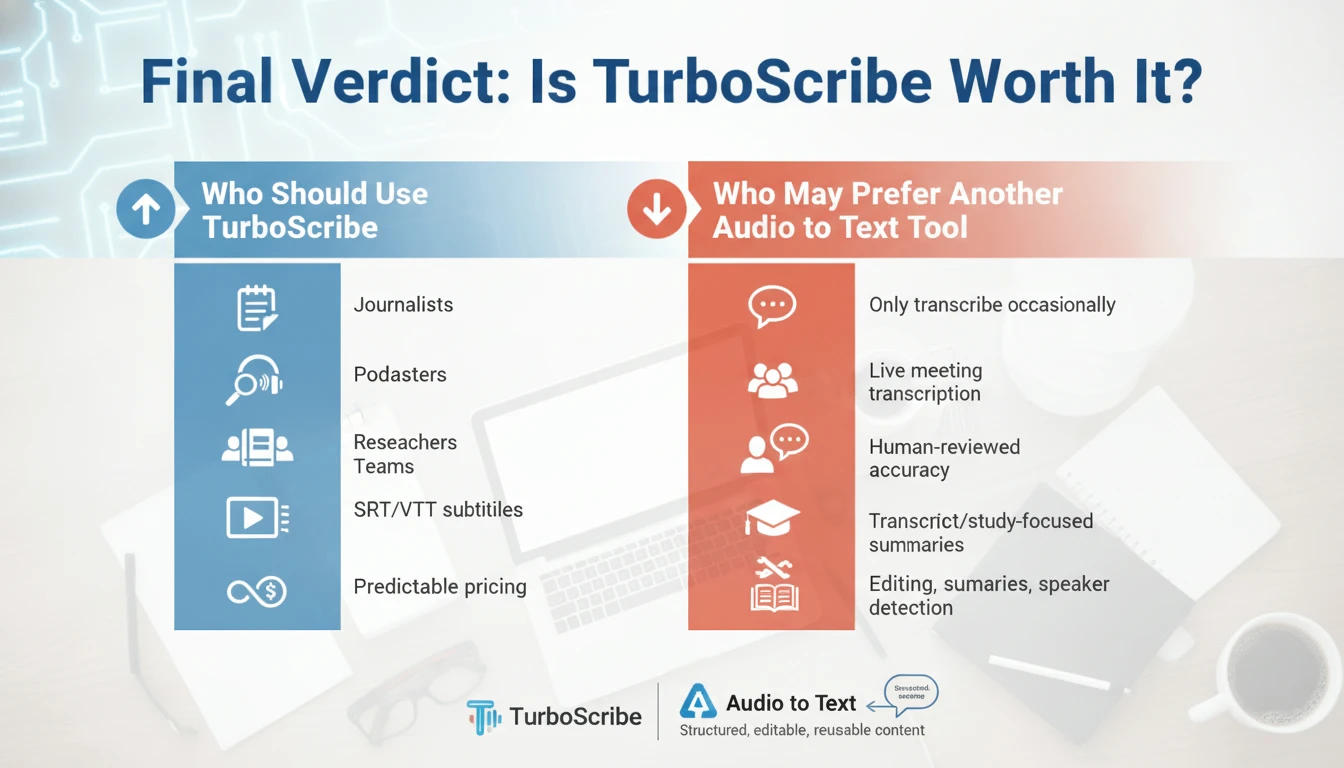
TurboScribe is a good fit for:
Another tool may fit better if:
For those broader use cases, Audio to Text can be a strong alternative because it focuses on converting audio into structured, editable, reusable content rather than only producing raw transcripts.
TurboScribe can be accurate with clean, clear recordings, especially single-speaker audio. However, real-world accuracy depends on microphone quality, background noise, accents, speech speed, and whether multiple people speak at once. Like any AI transcription tool, it works best when the audio is easy to hear.
TurboScribe supports many common audio and video formats, including MP3, MP4, M4A, MOV, AAC, WAV, OGG, OPUS, WMA, WMV, AVI, FLAC, and more. It also supports transcript exports such as DOCX, PDF, TXT, SRT, and VTT.
Yes. TurboScribe includes speaker recognition, which can label different speakers in a transcript. This is useful for interviews, meetings, podcasts, and panel discussions. Speaker recognition is helpful, but users should still review the output when the recording has overlapping dialogue or similar-sounding speakers.
TurboScribe has a free plan with daily limits. It is useful for trying the product or handling occasional transcription. For users who transcribe regularly, the unlimited paid plan is the main value proposition.
TurboScribe and Dechecker are built for different Audio to Text workflows. TurboScribe is stronger for high-volume transcription with predictable pricing. Dechecker is stronger when users want transcription combined with AI summaries, editing, speaker detection, multi-format support, and export options in a single workflow. The better choice depends on whether your priority is volume or structured content reuse.
The best alternative depends on the use case. Otter.ai is useful for live meetings. Rev is useful when human-reviewed accuracy matters. Descript is strong for video and podcast editing. Dechecker is a strong option when you want an Audio to Text workflow that includes transcription, summaries, editing, and export formats for study, research, business, and content creation.
TurboScribe is best for people who transcribe often and want predictable pricing. This includes journalists, podcasters, researchers, educators, and teams with regular audio or video transcription needs. It is less ideal for users who only need occasional conversion or who want built-in summary and editing workflows as part of the Audio to Text process.
Look for accuracy, supported languages, input file formats, speaker recognition, editing tools, export formats, privacy handling, and pricing. The best Audio to Text tool is not always the one with the most features. It is the one that fits what you need to do after the transcript is created.